


Made in Germany · ISO 27001 · GDPR-compliant
Your test installation for informed decisions
Test SoftDeCC LMS under real-world conditions—using your own processes, data, and integrations.
Selecting a learning management system is a strategic decision. With a guided trial installation, you can evaluate functionality, user-friendliness, performance, and system integration based on your specific requirements—rather than relying solely on a presentation.
Test SoftDeCC LMS in your own environment, involve administrators and learners, and gather reliable feedback to inform your decision.
From real-world learning processes to IT integration: SoftDeCC lays the groundwork for a fact-based LMS selection.
Start your guided trial period with SoftDeCC LMS now.
In-House Processes & Data
Training
Data Migration
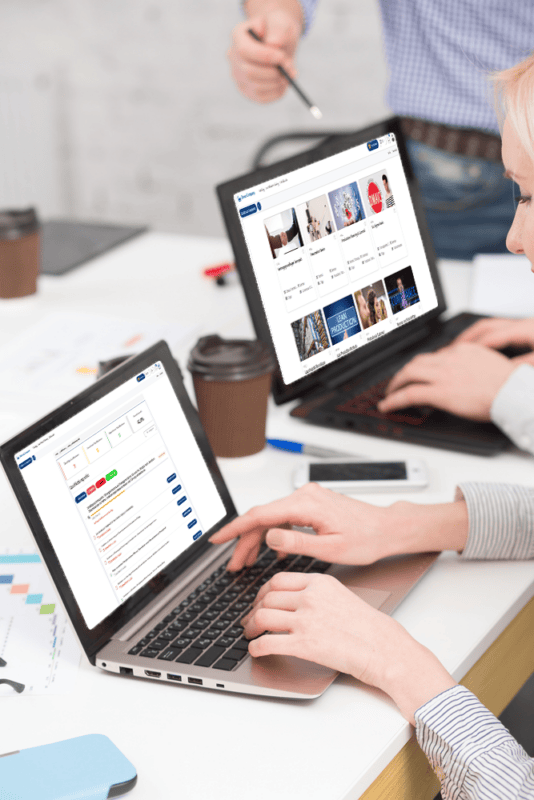
Test phase for sound decisions
Benefits of a Test Installation
A trial installation is by far the best way to make a fact-based decision about a future-proof learning management system—not based on presentations, but on your own experience. A meaningful trial period is therefore crucial to the long-term success of your training organization.
1
Real-World Environment In the test installation, you’ll work with SoftDeCC LMS exactly as it will operate later in live production. You’ll evaluate the user interface, functionality, and usability based on your actual requirements—not on demo data. Configuration requests can be implemented as early as the test phase.
2
Integration: Test the integration of SoftDeCC LMS into your existing IT infrastructure—including HR systems, ERP, identity providers, and learning platforms. This allows you to identify and resolve compatibility issues early on—before they become critical to production.
3
Performance: Evaluate how the LMS performs in real-world training scenarios—such as high usage rates, complex learning paths, or concurrent compliance training sessions. This is precisely what cannot be reliably tested in a demo.
4
User Feedback: Gather structured feedback from training administrators, instructors, and learners. This feedback is crucial for ensuring that the LMS meets the needs of all stakeholders—and is well-received when it goes live.
Comparison
Comparison: LMS Demo Version vs. Trial Installation
Procedure for a Test Installation
How does an LMS test installation work?
References
What Our Customers Say
TCmanager LMS offers everything you would expect from a software tool for training centers. Today, our extensive training offerings for our service and sales partners and customers are optimally supported worldwide by training portals tailored to specific target groups and countries. The management of schedules, bookings, and resources is logically structured and intuitive to use. Reports can be generated quickly and clearly at any time. SoftDeCC is our reliable partner, with whom we will continue to deliver our in-person training and e-learning offerings in the future.

YASKAWA has been a customer and user of TCmanager® since 2015. After an extensive search for a management tool for our training and professional development programs, we are now glad that we chose SoftDeCC following the implementation. It quickly becomes clear that this software was designed specifically for training and certification management. We’re discovering far more capabilities than we initially required or expected. We’re confident that TCmanager® will help us position our training facilities well for the future and improve our efficiency and quality.
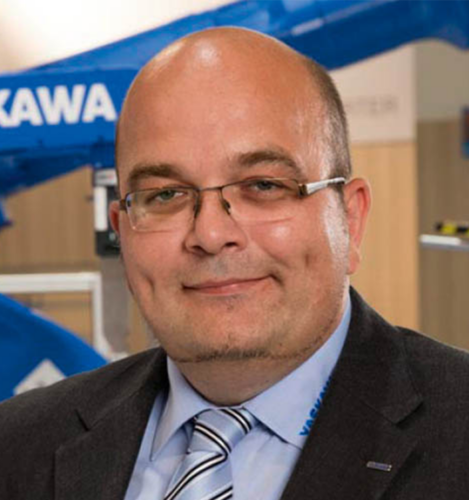
SoftDeCC did an excellent job of bringing to life the high standards we set for functionality on the one hand and user-friendliness on the other through customized solutions. The expert advice and support, as well as the constructive and solution-oriented discussions, were particularly helpful in this regard. The collaboration has been excellent, thanks to the very pleasant working relationship and high level of reliability.

For more than 30 years, training and education for Schneider Electric’s customers and partners have been closely linked to quality and reliability. In 2019, we chose SoftDeCC’s TCmanager® LMS (Learning Management System). The support we received from SoftDeCC during the implementation phase was extremely helpful. Since then, the learning system’s feature set has been continuously expanded, offering more options to meet our growing needs. The SoftDeCC team is very familiar with our application and has been a great help!

Hella Academy provides technical training to repair shops and retail partners on our products, as well as on specialized topics such as “Hybrid & High-Voltage” and driver assistance systems. We have been a satisfied customer and user of theTCmanager® LMS since 2015. We are particularly impressed by the support time and again. Any customizations or new features we request for the application’s functionality are implemented smoothly and help us better serve our customers.

Our Recommendation
Trial Installation to Help You Make an Informed Decision
Discuss your use case and configuration requirements with us. We’ll set up a test system for your pilot team using your data and processes. Don’t rely on a demo version when making a decision of this magnitude.
✓
Over 25 Years of Expertise
✓
Made in Germany
FAQ
