.webp)
Increase Efficiency in Workforce Development through Automation
Release Your Potential - Reduce Effort - More Learning Success
Manual training administration, fragmented onboarding, and missed compliance deadlines slow down workforce development in many organizations.
Workforce development automation with a Learning Management System (LMS) replaces manual coordination with rule-based processes. Training is assigned automatically, certifications are tracked in real time, and employee skills are continuously updated, reducing administrative effort while improving transparency and compliance.
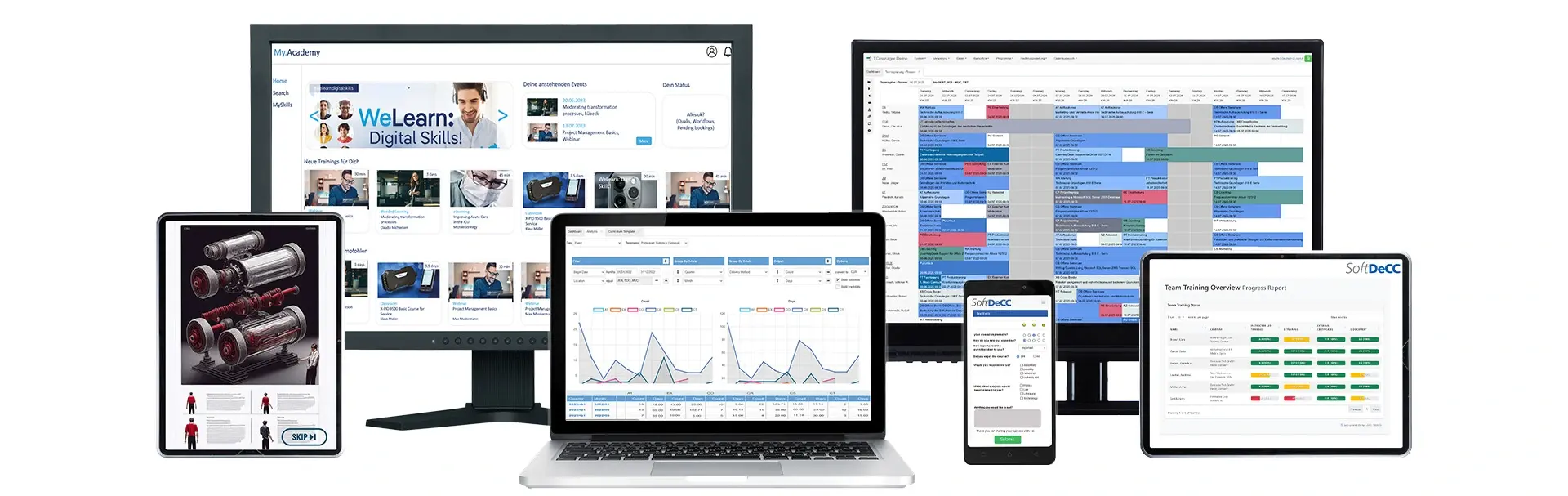

Why Automation Matters in Talent Development
Digital HR processes bring structure and clarity. Automation relieves teams, ensures predictable workflows, and enables targeted employee development.
Your key benefits at a glance:
- Increased efficiency through digital workflows
- Timely qualifications with automatic course assignments and reminders
- Audit readiness through complete documentation
- Significantly reduced administrative workload



Typical Challenges Without Automation
• High error rates from manual data entry
• Missed deadlines and certification expirations
• Confusing spreadsheets and time-consuming course management
What Is Workforce Development Automation in an LMS?
Workforce development automation refers to the use of rule-based workflows within a Learning Management System (LMS) to manage training processes automatically.
Instead of manually assigning courses or tracking certifications, organizations define logic such as:
- assigning training based on roles or departments
- triggering onboarding workflows for new hires
- automatically renewing certifications before expiry
This ensures that employees receive the right training at the right time - without manual intervention.
Reduce administrative workload
Manual processes like tracking training in spreadsheets or sending reminders consume time and introduce errors. Automation removes repetitive tasks and ensures consistency across the organization.
Improve compliance and reduce risk
Expired certifications and missed mandatory training can lead to audits, penalties, or safety risks. Automated tracking and renewal workflows ensure that compliance requirements are consistently met.
Enable data-driven HR decisions
Automation connects training data with competencies and roles. HR teams gain visibility into skill gaps, training progress, and workforce readiness - enabling better planning and targeted development.
Which Processes Can Be Automated with an LMS?
An LMS can automate the entire training lifecycle. The following processes deliver the highest impact:
Course & Qualification Management
- Dynamic course assignments based on role or qualification
- Automatic reminders and participant updates
- Centralized management of all learning activities
Certifications & Deadline Management
- Automatic monitoring of expiring certifications
- Direct assignment of refresher courses
- Digital certificate management for compliance security
Onboarding & Mandatory Training
- Personalized learning paths for new hires
- Automatic scheduling of mandatory trainings (e.g., workplace safety)
- Progress tracking with escalation mechanisms
Competency Management & Skill Profiles
- Automatic updates after course completion
- Synchronization with HR and talent management systems
- Training recommendations based on career and skill needs
Automated Reports & Analytics
- Regular, automated report generation
- Dashboards with progress, qualification levels, and trends
- Real-time analytics for strategic HR decisions
Automation Benefits for HR, Training, and Compliance Teams
For HR teams
- significantly reduced administrative workload
- clear visibility into employee development and skills
For training teams
- standardized onboarding and training processes
- scalable delivery of training programs
For compliance teams
- automated tracking of mandatory training
- audit-ready documentation and reporting
Requirements for an LMS to Enable Workforce Development Automation
Not every LMS can support advanced automation. To achieve real efficiency gains, your system should meet the following requirements:
LMS Automation Requirements Checklist
| Requirement | What it means | Why it Matters |
| Rule-based automation | Configurable if–then logic | Enables automated training workflows without manual work |
| Flexible workflows | Role- and department-based configuration | Adapts to organizational complexity |
| Certification management |
Expiry tracking and renewal workflows |
Ensures compliance at all times |
| HR system integration | Connection to HRIS, ERP, directory systems | Ensures compliance at all times |
| Skills framework | Linking training to competencies | Enables data-driven development |
| Scalability |
Handles growing users and training volumes |
Supports long-term growth |
| Notifications & escalation | Automated reminders and alerts | Prevents missed deadlines |
| Reporting & analytics | Dashboards and exports | Enables transparency and decision-making |
| Role automation | Automatic assignment of roles and permissions | Reduces admin effort |


Why Choose TCmanager® for Automated Talent Development?
TCmanager® LMS combines flexibility, scalability, and customization and is thus ideal for organizations with complex structures and strict compliance requirements.
Flexible Standardization – Your Competitive Advantage
- Custom rules and workflows for every HR department
- Adaptable structures for different business units
Seamless Integration
- Interfaces to HR, talent management, and ERP systems
- Automatic data synchronization for always up-to-date skill profiles
Multi-Instance Solution & Customization
- Configurations tailored to each location, subsidiary, or team
- Flexible automation benefits aligned with organizational needs



FAQ – Automated Talent Development Explained
What is workforce development automation in an LMS?
It is the use of rule-based workflows to automatically manage training, onboarding, certifications, and skills development.
Which training processes should be automated first?
Onboarding, compliance training, certification renewals, and recurring training programs typically deliver the fastest results.
How does LMS automation handle certificate expiration?
The system tracks expiry dates, sends reminders, and can automatically trigger renewal or re-training workflows.
Can onboarding be automated across departments and locations?
Yes, training paths can be defined based on roles, departments, and locations and managed centrally.
What systems should an LMS integrate with?
HRIS, ERP systems, and directory services to ensure seamless and automated data flow.
Benefits of LMS Automation:
✔ Less administrative effort: HR teams and training centers save time through automated processes.
✔ Better planning: Automated course assignments and reminders prevent bottlenecks.
✔ Compliance security: Deadlines for mandatory training and certifications are automatically monitored.
✔ Efficient resource management: Rooms, trainers, and materials are optimally utilized.
✔ Data-driven decision-making: Reports and analytics provide valuable insights.
Free Demo & Consultancy
Discuss your Training Challenge with us.
Call +49-89 309083 930 to arrange for your free consultancy.